通过对各大开源工具的比较,最终选择了crypto-js,因为它的加密方式比较全,基本覆盖能用到的所用加密。
用法
npm install crypto-js
var fs = require("fs");var SHA512 = require("crypto-js/sha512");var Base64 = require("crypto-js/enc-base64.js");//读取二进制文件var imageBuf = fs.readFileSync("demo.txt");//将二进制数据转换为base64编码的字符串var base64Img = new Buffer(imageBuf).toString('base64');//对字符串进行base64编码var base64Decoded = Base64.parse(base64Img);//进行加密var hashed = SHA512(base64Decoded).toString();//输出加密后的哈希sha512console.log(hashed);
然后运行 我们可能看到输出了加密成功后的sha512字符串

可以通过下面任意方法进行下载
- github地址: https://github.com/brix/crypto-js
- google地址: https://code.google.com/archive/p/crypto-js/
<!DOCTYPE html><html lang="en"><head><meta charset="UTF-8"><title>CryptoJS</title><script src="rollups/hmac-sha512.js"></script><script src="components/enc-base64.js"></script></head><body><input type="file" id="demo" onchange="demo(this)"/></body><script type="text/javascript">function demo(obj){var file = obj.files[0];var reader = new FileReader();reader.readAsDataURL(file);reader.onload = function(e) {var str = reader.result.split(',')[1];var urlDecoded = decodeURIComponent(str);var base64Decoded = CryptoJS.enc.Base64.parse(urlDecoded);var hashed = CryptoJS.SHA512(base64Decoded).toString();console.log(hashed);}}</script></html>
然后我们在浏览器运行上面代码,选择刚才加密的文件,可以看到控制台输出sha512字符串。
我么也可以借助第三方在线加密工具进行效验,结果一样说明没有问题。
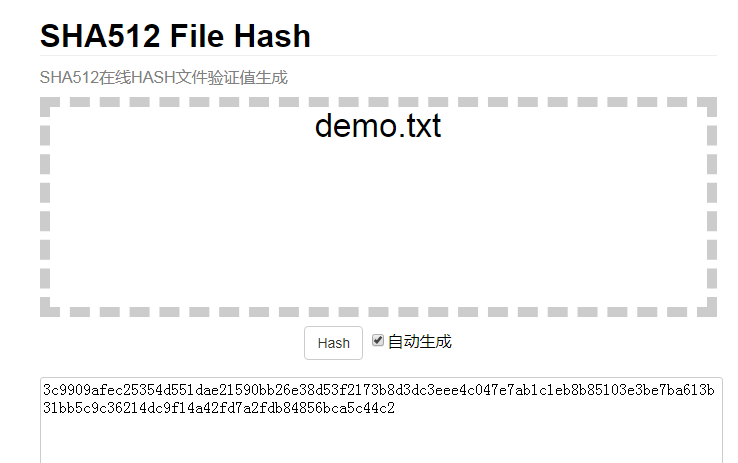
推荐在线加密工具:
http://www.bluestep.cc/demos/tools/endecode/sha512_file_hash.html
https://www.it399.com/FileHash